How to Create Automatic Welcome Rules for New Members
The first message is the gateway to your community. Learn how to automate onboarding on WhatsApp to align expectations, reduce spam, and engage members from the very first second.
Why do automatic welcome rules make such a difference?
Many WhatsApp group administrators look for practical ways to welcome new members, aligning expectations and stimulating engagement right from the first contact. Over the years, we have noticed how automated reception can transform communities, making digital environments more welcoming, organized, and active.
Imagine entering a group and encountering a receptive environment, where everyone already knows what to expect, who is responsible, and how to participate. It's something simple, but it completely changes the experience for newcomers. Much of these results stem from small automations.
The first message is the gateway to your community. It sets the tone for everything that follows.
Automatic welcome rules go beyond words: they transmit values, clarity, and show that there is order. This positively influences everything from the participants' behavior to the overall climate of the group.
According to educational and corporate studies, keeping focus on welcome messages and avoiding deviations helps maintain productive and participatory debates. We are not just talking about digital etiquette, but about making the administrator's routine much lighter.
What must never be missing in welcome rules?
Thinking about what we have already tested in various groups, certain information is indispensable. They form the basis for all communication, whether in small communities or corporate groups.
The Perfect Onboarding Tripod:
- Group presentation: Briefly explain the purpose. This avoids confusion about the objective of that space.
- Basic rules: List 3 to 5 key rules, clear and objective. No massive walls of text.
- Participation guidelines: Inform how people can interact (commands, schedules, extra links).
- Support contact: Provide a contact method, but keep it only for critical doubts.
These items shorten the adaptation time and reduce noise. The clearer they are, the greater the chance of avoiding conflicts or out-of-context messages.
Types of possible automation for welcome messages
A simple automation can consist of sending a fixed text whenever someone enters. With the advancement of platforms like 9bot, we expanded these rules to include custom commands, sending links, multimedia information, and even smart moderation. Automation is not just practicality; it is caring for the community.
Common Welcomes
- Long and generic text copy-pasted by an admin whenever they have time.
- Lack of mention (the user does not feel included).
- Links that get lost in the chat history.
Automated Onboarding
- Automatic mention: Cites the member's name immediately (e.g., Hello @John).
- Interactive commands: Buttons and links to regulations or menus.
- Multimedia: Pre-recorded audios and institutional images.
A successful example is corporate HR programs that use accessible videos in multimedia reception messages to engage new employees. The choice depends on your group's profile. News groups win by sending useful links right in the first message. Informal communities win in engagement by personalizing the tone.
How to create automatic messages in practice
Now, let's detail how to configure automatic messages and rules in your community with the support of leading tools, such as 9bot.
Define the objective and tone
Be formal (for corporate) or relaxed (for hobbies). Personalization creates proximity, but clarity must always come first.
Write the script
Practical example: "Welcome to the group! Here we discuss news. Avoid sharing fake news. Participate with respect. Questions? DM me." Include links and encourage the use of emojis.
Configure the automatic sending
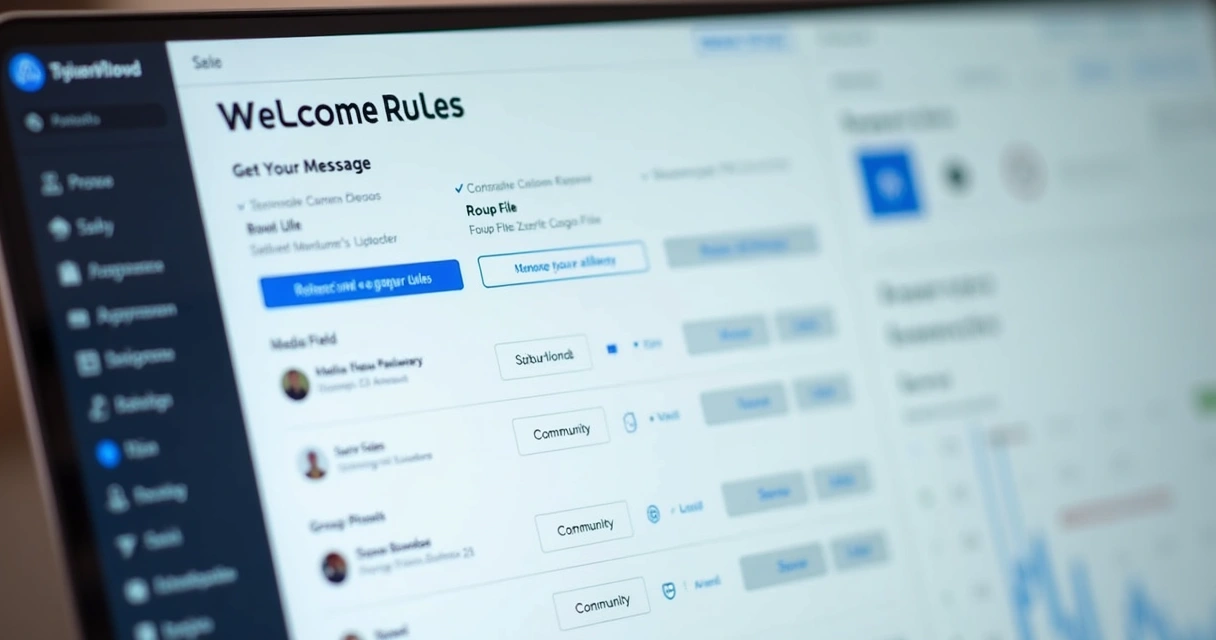
Access the 9bot dashboard, go to "Automatic rules" > "Welcome", paste the text (or media) and define if it will be triggered in the group or only in the newcomer's DM. Save and test.
Quiz: Do you know how to onboard?
Tips for creating rules that actually work
When analyzing hundreds of groups managed by 9bot, we noticed patterns in the best results:
Avoid excessive permissiveness. Initial messages that are too loose tend to generate a lack of control in the long run.
How to measure if the welcomes are working?
Applying best practices is not enough if we don't know how to measure the results. That's why we created a simple script for those starting out:
- Observe the first messages: Do new members respond? Do they interact more after the automation?
- Check if friction has decreased: Notice if there are fewer complaints, spammers, controversial topics, or repeated questions.
- Request feedback: Asking other moderators to suggest improvements enriches the process.
In the 9bot dashboard, it is possible to track the entry history, welcome engagement, and reactions.

Extra features and trends in digital onboarding
Beyond standard automations, we see innovations emerging rapidly to make the reception more human and personalized, even through bots:
- Integration of intelligence to analyze the member's profile and suggest content.
- Dynamic multimedia messages that change according to the day of the week or important events.
- Initial quiz modules to map knowledge and recommend materials.
- Automatic sending of invitations to parallel channels or mentoring.
The more personalized the new member's experience, the greater the engagement generated right in the first few days.
Automating the future of communities
As digital communities grow, welcome automation has ceased to be optional and has gained a central role. Those who have already adopted it report greater organization. Institutional projects have already proven that welcoming in a planned way truly makes a difference.
9bot was born precisely to multiply results like this, uniting technology and sensibility in communication.
Related Articles
Conclusion
Implementing automatic welcome rules is a simple step that propagates respect, decreases noise, and feeds community growth. The secret is to listen to the audience, test formats, and adjust the rules frequently. By incorporating solutions like 9bot, we transform the reception into something remarkable.
Frequently Asked Questions
What are automatic welcome rules?
How to create automatic welcome messages on WhatsApp?
Do automatic rules work in all groups?
Transform your Community's Onboarding
Stop copy-pasting rules manually. Let 9bot welcome your new members with their name and group guidelines, 24/7.
Create my automatic message now

