How to Import Participants Without Losing Control of the Group
Grow your community in an orderly way. Learn how to structure structured bulk contact importing with 9bot to prevent chaos on WhatsApp.
The Challenge of Expanding Groups Safely and Harmoniously
Managing a successful digital community requires a steady influx of new members. Whether you are running product launches, distributing daily newsletters, or engaging customers, attracting qualified participants is the fuel that keeps your WhatsApp chats alive. However, opening the group gates to hundreds of new users without prior planning is a surefire recipe for engagement collapse and complete loss of control.
When a large volume of members is added manually and abruptly, or enters via leaked invitation links, chat harmony is instantly destroyed. Without immediate guidance, new participants begin sending spam chains, unauthorized links, or starting off-topic arguments. Human moderators quickly become overwhelmed, and long-time members, irritated by the visual noise, mute the group or simply choose to leave the community.
The key to sustainable community growth lies in preparing your infrastructure before performing any additions. By integrating a clean spreadsheet database of known contacts with automatic moderation, welcome greetings, and FAQs managed by a virtual assistant, you ensure that every new member is greeted professionally, keeping existing rules and group order intact.
The Problem in Practice
Disorderly importing of participants creates massive bottlenecks in community management:
- Spammer Invasions via Leaked Links: Invitation links without gatekeeping fall easily into the hands of malicious bots, flooding your chat history with highly inappropriate advertisements.
- Chaos and Moderator Burnout: Adding hundreds of people manually without an automated welcome routine forces admins to repeat the rules dozens of times, causing extreme mental exhaustion.
- Loss of Group Identity: An uncontrolled wave of new entrants changes the group's profile and temperature, making long-time members lose their sense of belonging.
By investing in an automated gatehouse entry, newcomers are instructed immediately and community order remains completely intact.
What You Will Configure and Resolve
In this practical guide, you will learn how to set up an onboarding ecosystem in the 9bot Dashboard to:
- Structure and audit your contact database in spreadsheets before importing.
- Activate automatic moderation upon the entry of new participants.
- Configure welcome workflows and automated FAQs triggered by commands.
- Keep behavioural control of the group during the critical first days post-import.
Before You Start
- An organized contact spreadsheet (containing name, phone, and origin columns).
- A WhatsApp group connected to the 9bot admin panel.
- Full administrative access to the 9bot Dashboard.
- Bot promoted as administrator in your target WhatsApp group.
Step-by-Step on Dashboard
Step 1: Organize data and audit members in the panel
- Before starting any importing steps, make sure your contact database is clean and organized in a spreadsheet, eliminating duplicate or invalid phone numbers.
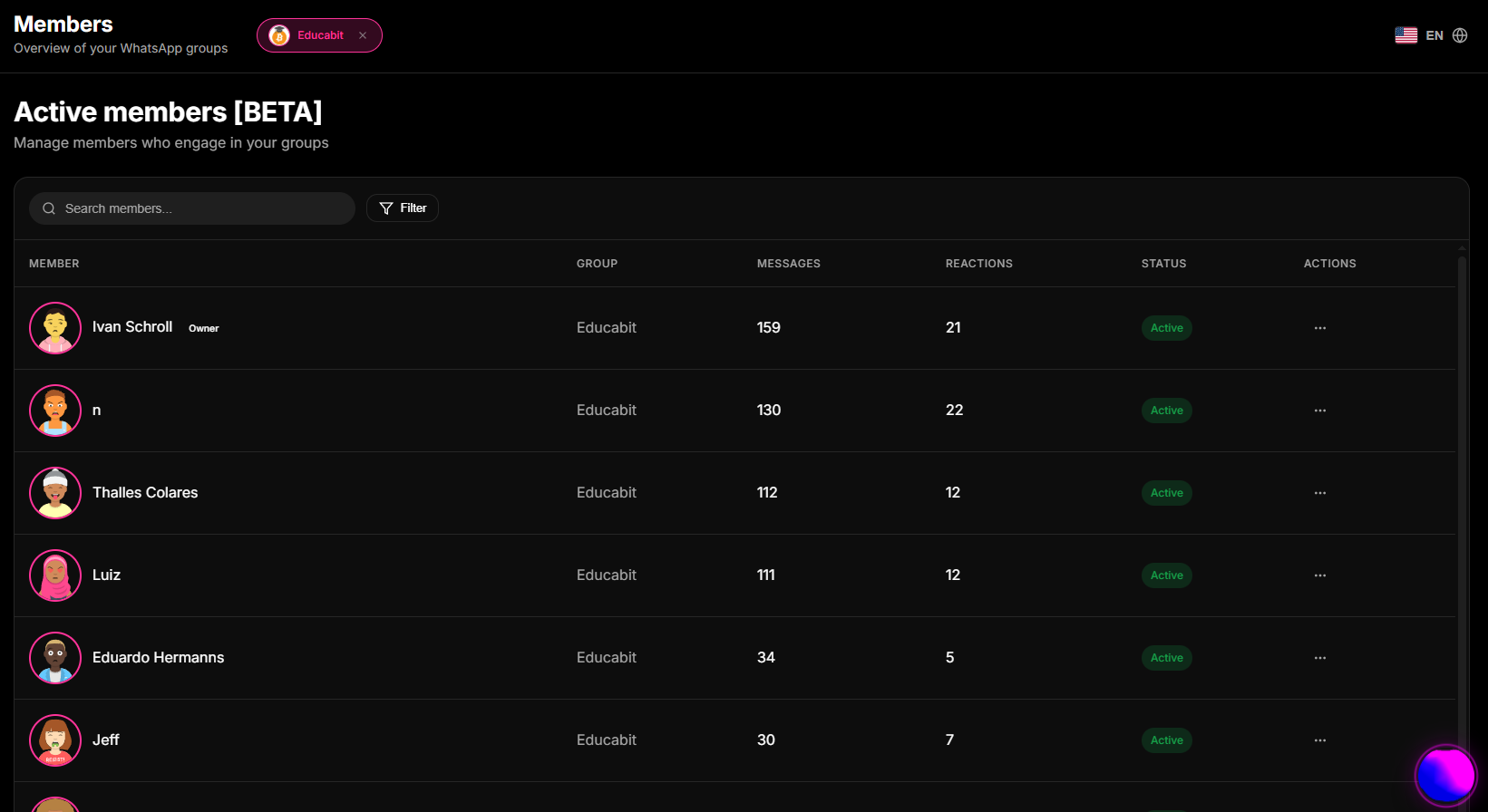
- Log into your 9bot Dashboard and go to the Members menu in the sidebar.
- Use the consolidated active participant list to cross-reference data and plan who should be added first, prioritizing guild leaders or VIP members to help greet the newcomers.
- Keep this tab open to monitor group growth in real-time as you perform the importing steps.
Step 2: Configure auto-approval and welcome rules
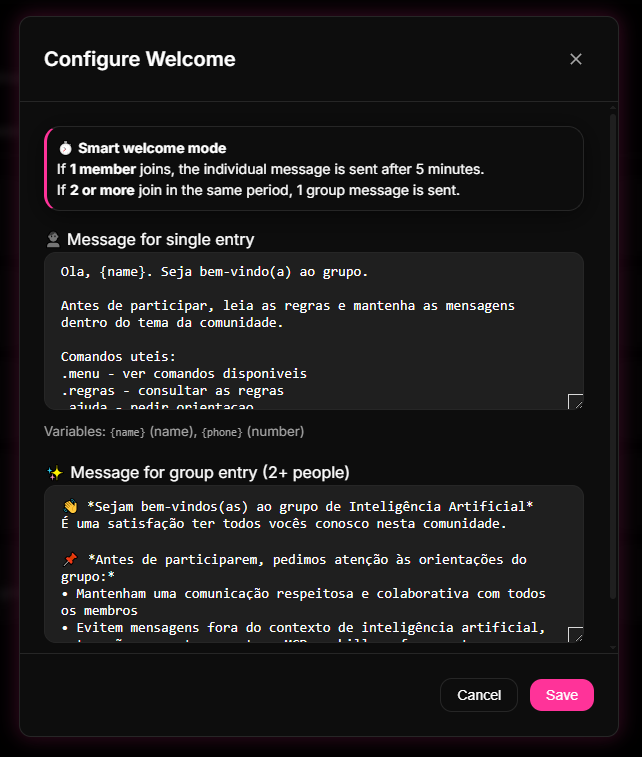
- In the 9bot panel, click on the Automations tab and enter the Auto Approval or Welcome Message section.
- Enable the welcome rule, customizing the text with dynamic tags (e.g., calling the new participant by their first name).
- Write your group rules and guidelines synthetically in the welcome message body, or set up a quick command (e.g., `/rules`) to orient the newcomer instantly.
- Set up automatic antispam filters in the moderation tab to temporarily mute new members who try to send links or media files in their first hours after joining. Save your changes.
Quick Checkpoint: Test the workflow by adding a secondary phone number to the group and confirm that the bot fires the welcome template and rules instantly without lag.
Step 3: Perform gradual and scheduled importing
- With 9bot configured, add your spreadsheet contacts in small batches (ideally 10 to 15 people per time slot).
- Avoid adding hundreds of contacts in the exact same minute to prevent triggering WhatsApp security flags and to give newcomers enough time to read the automated onboarding rules.
- Monitor your chat timeline closely during the first days. Use the dashboard's engagement charts to measure the impact of the new wave of members on your daily traffic.
Quick Checkpoint: If the behavior of some new members is inappropriate, act immediately by leveraging 9bot's automatic removal triggers for severe violations of pinned rules.
How it works in practice
Adding new members in bulk manually is like opening your store's doors on Black Friday without any queue ropes, security guards, or cash registers, resulting in instant chaos. With 9bot, it's like deploying a moderated onboarding funnel and traffic gate. As new contacts enter, 9bot secures the gate: it restricts writing privileges until users complete onboarding, dispatches rules automatically, and removes spammers or unauthorized numbers. The community expands safely, maintaining total order.
Test It Now in Your Group
- Assemble a small test list with 3 phone numbers belonging to your team or trusted partners.
- Confirm that the 9bot welcome rule is active with a dynamic `/rules` command.
- Add the 3 test contacts sequentially to your private testing group.
- Verify that the bot greeted them instantly and personalized the message in the chat, and that new members' writing permissions complied with dashboard parameters.
If your newcomers received a professional onboarding in seconds and moderation rules worked exactly as planned, your smart group entrance is active and ready to welcome new participants!
Read also
FAQ
How can I import WhatsApp participants with complete safety?
Can WhatsApp block my number if I add too many members at once?
Can I manually approve new members who join via invitation links?
What should I do if an imported member violates the rules immediately upon arrival?
How does welcome automation help in large group integrations?