How to Integrate WhatsApp with Event Platforms Step-by-Step
Engage attendees in real time. Learn how to integrate WhatsApp with event platforms using 9bot to automate credentials and networking.
Why integrate WhatsApp with events?
Organizing large conferences, symposiums, or webinars and keeping registered attendees updated requires a monumental support effort. Confirmation e-mails and social media updates often have very low open rates, leading to communication gaps, long physical check-in queues, and attendees missing out on critical event moments.
WhatsApp is the perfect bridge. As the most widely used messaging app, it allows organizers to send precise information directly to the attendee's pocket, ensuring instant proximity and rapid reading.
By automating these communications intelligently, organizers save hundreds of hours of manual support and deliver a fully connected, interactive experience from start to finish.
The problem in practice
The lack of a fast flow of information before and during the event leads to attendee frustration and digital lines. Sudden changes in speaker slots, urgent venue updates, and sharing digital access tickets easily get lost in e-mail spam folders.
Moreover, networking and interaction among attendees remain stagnant without a dedicated, moderated space. Without the right controls, open chat groups quickly turn into dumps for spam and advertisements, damaging the value and image of your event.
Connecting WhatsApp directly to your ticketing platform automates entrance security and immediately boosts attendee networking.
What you will configure
By the end of this tutorial, you will have:
- An active API connection between your event platform and 9bot.
- Automated dynamic broadcasts for schedule updates and venue announcements.
- Custom self-service commands (such as `!schedule`) active for instant support.
- Reports panel configured to track message deliverability and read rates.
Before you begin
- A WhatsApp group connected to 9bot.
- Access to the 9bot Dashboard.
- The correct group selected in the Groups tab.
- Developer access or credentials in your event platform (such as Sympla, Eventbrite, or similar).
- A draft of the event schedules and frequently asked questions about the venue.
Step by step in the Dashboard
Step 1: Select the right group in the Dashboard
- Access the 9bot Dashboard.
- Click on the Groups menu in the side panel.
- Choose the event community where the integration will be applied.
Step 2: Connect the 9bot Integrations API
- In the active group menu, click on Integrations.
- Click to generate your 9bot API Token and copy the security key.
- Paste the token into the webhook or external integration field of your event platform to sync registration data.
Quick Checkpoint: Make sure the "Bot admin" tag is active and the bot has correct moderation permissions in the group. Without this, webhook automations and automated messages may fail silently.
Step 3: Configure custom event commands
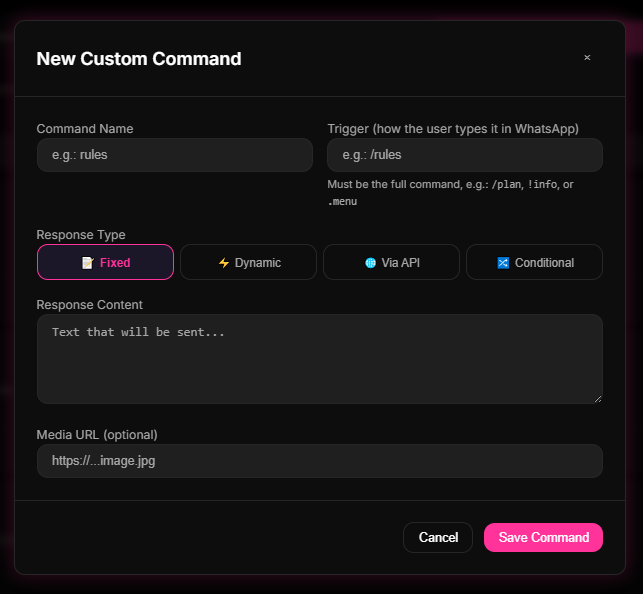
- Access the Commands tab and go to Custom Commands.
- Click New Command and define the trigger (e.g. `!schedule` or `!venue`).
- Set the text reply with the speaker schedule or check-in location and click save.
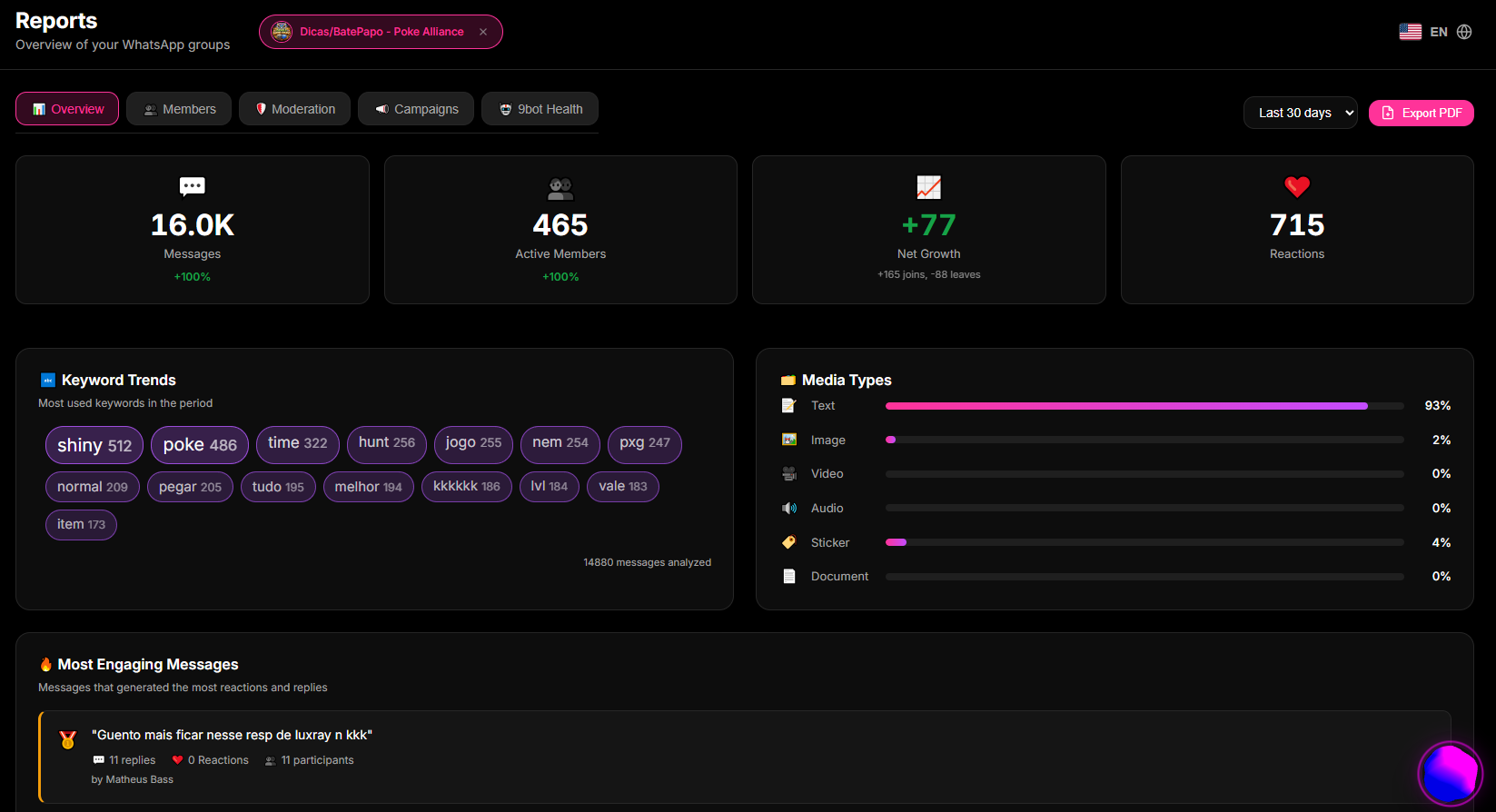
Step 4: Monitor engagement and delivery metrics in Reports
- Access the Reports tab and click on Overview (or 9bot Health).
- Monitor the daily messages sent and engagement rates to validate participant interactions.
- If necessary, export weekly reports to refine the timing and moderation of chat groups.
Quick Checkpoint: Check the moderation logs and message reports weekly after the event starts to validate read rates. Avoid saturating participants with excessive notifications to prevent spam flags.
How it works in practice
Think of integrating WhatsApp with your event as hiring an Exclusive Pocket Concierge for each participant at your event.
Without integration (traditional communication), the entire event relies on a single, small information booth at the entrance of a massive convention hall, staffed by a single receptionist. If a participant needs to check their ticket, check the schedule of the next panel, or find the dining hall, they have to leave the room they are in, walk all the way to the lobby, and stand in a long queue. The receptionist gets overwhelmed, and the attendee misses the start of the speaker's presentation.
With 9bot integrated, it is as if each guest receives their own personal digital pocket assistant. Anywhere in the convention center, they can simply open WhatsApp and send `!schedule` or ask a question. The pocket concierge reads the database, delivers their ticket, warns them about schedule changes, and answers FAQs instantly without any physical lines, while the organizers focus on putting on the best show on stage.
Checklist of a connected event
- API Token generated securely and integrated with your event platform.
- Bot promoted to group administrator to enable active cloud automation.
- Custom support commands (`!schedule`, `!help`) created and saved.
- Behavioral moderation rules enabled to prevent spam in networking groups.
- Reports panel audited weekly during event operations.
Test in your group
- Using a test contact (not registered as an admin), send the `!schedule` or `!venue` command in the event group chat.
- Confirm if 9bot responds instantly with the complete speaker lineup.
- Simulate a new registration on your event platform and check if the webhook successfully triggers a confirmation message to your test number on WhatsApp.
If the command returned the correct details and the webhook sent the ticket without error, your pocket concierge is perfectly integrated and ready to launch.
Read also
Frequently asked questions
How does event integration work in 9bot?
Is it safe to share registration data via API with 9bot?
Do participants need to install any new app?
Can I automate certificate delivery after the event?
Can participants talk to each other in networking groups?
How many speaker schedules or FAQ terms can I set up?